You may also be interested in...
Piping Text Over Multiple Pages - Example
Text Based Branching - Example
Randomization using Custom Scripting - Example
Branching from Multiple Select type questions
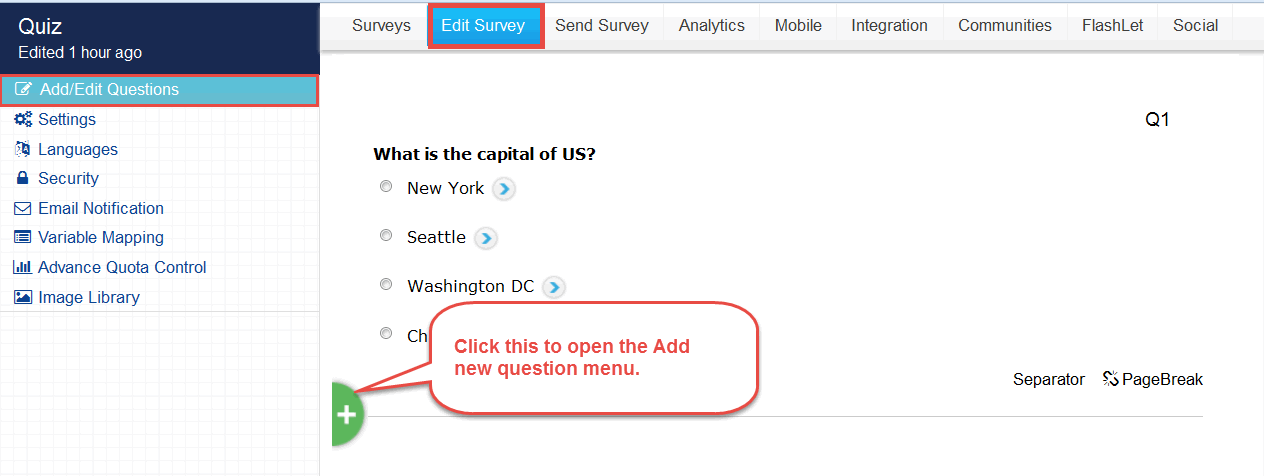
To add Custom logic to your Survey you can add a Custom Scripting/Scoring type question. Click on the Add New Question link under the Edit Survey page:
1. Screenshot
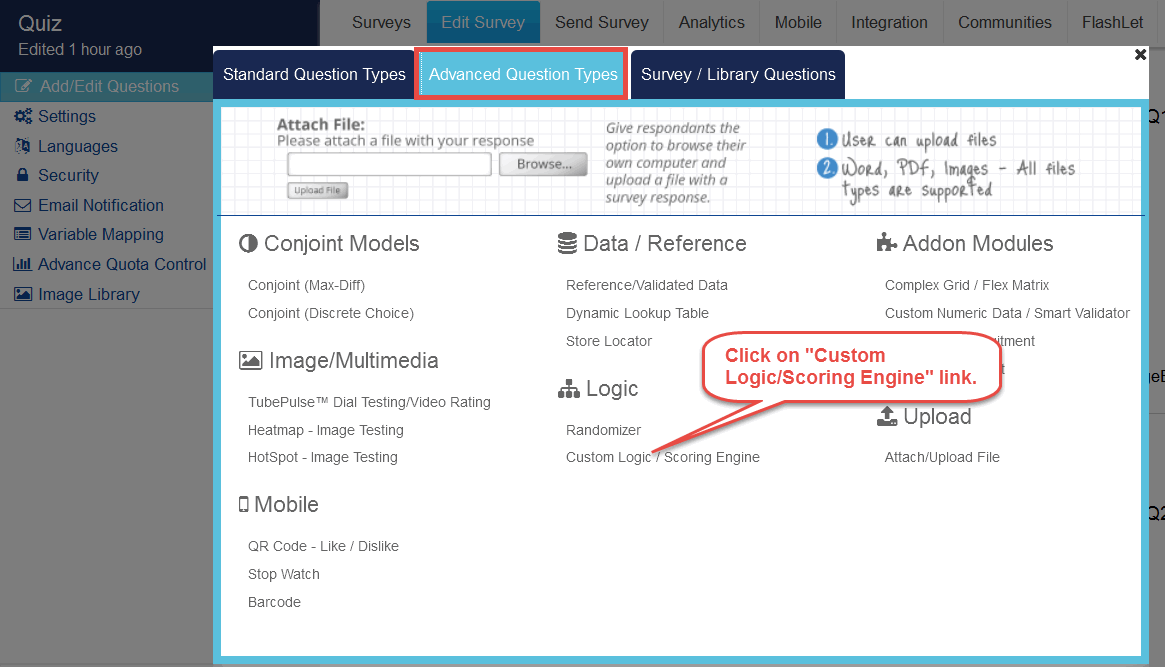
In the Question Wizard pop-up from the Advanced Questions Types option select the Custom Scoring/Logic Script question type and click on the Next button.
2. Screenshot
Here you can enter the script for the required logic and save the question.
3. Screenshot
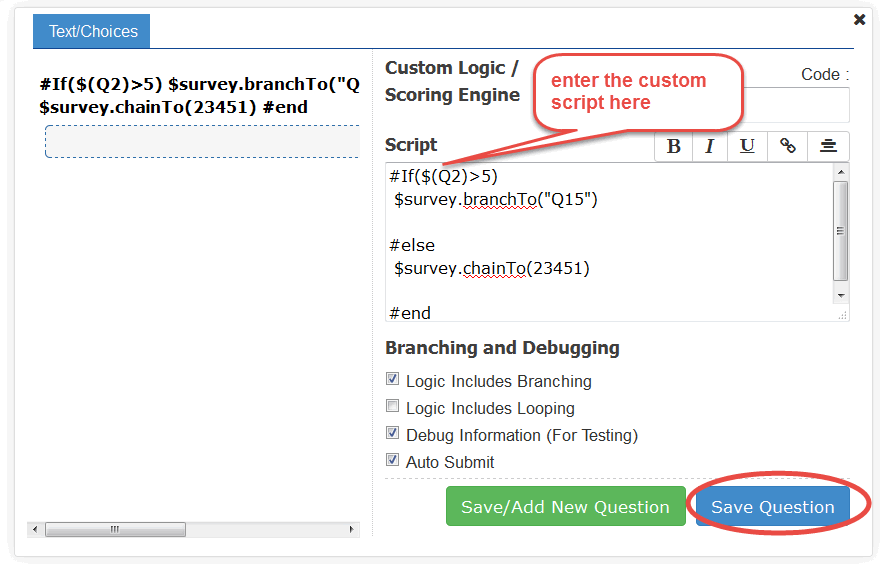
Logic Includes Branching: Enable this option if there is Branching involved in the script/logic
Logic Includes Looping: Enable this option if there is Looping involved in the script/logic (Please note that multiple rows of data are saved for each loop).
Enable Debug Information (For Testing): Enable this option for testing the script/logic
Enable Auto Submit: Sometimes you may use this question as the only question on the page. In such cases user will see a blank screen with continue button on the page. The same issue may occur if there is branching logic in the script/logic. If enabled the page is automatically submitted and user will not see the blank screen.
Piping Text Over Multiple Pages - Example
Text Based Branching - Example
Randomization using Custom Scripting - Example
Branching from Multiple Select type questions