You may also be interested in...
Dashboard accounts are secure "Read-Only" licenses that you create and distribute to your clients and/or colleagues. The idea behind a Dashboard Accounts is help you save time by efficiently delegating data viewing and report generation to a user-base of your choice. The user-friendly Dashboard accounts will allow your audience to login into SurveyAnalytics and view the data for a particular group of surveys that you provide permissions to.
Client Dashboard Accounts can be created by going to:
1. Screenshot
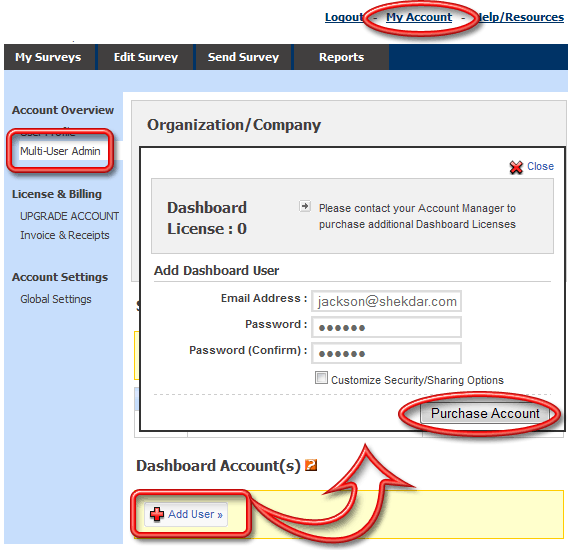
Please get in touch with your Account Manager for more information on Client Dashboard Accounts.
In order to make sure your clients cannot see each others data, you will have to create folders for each client. For each client, you'll need a "Client Dashboard Account" and make sure the security settings are set correctly.
Please see "Row Level Security" under Additional References Section.