You may also be interested in...
4. Screenshot

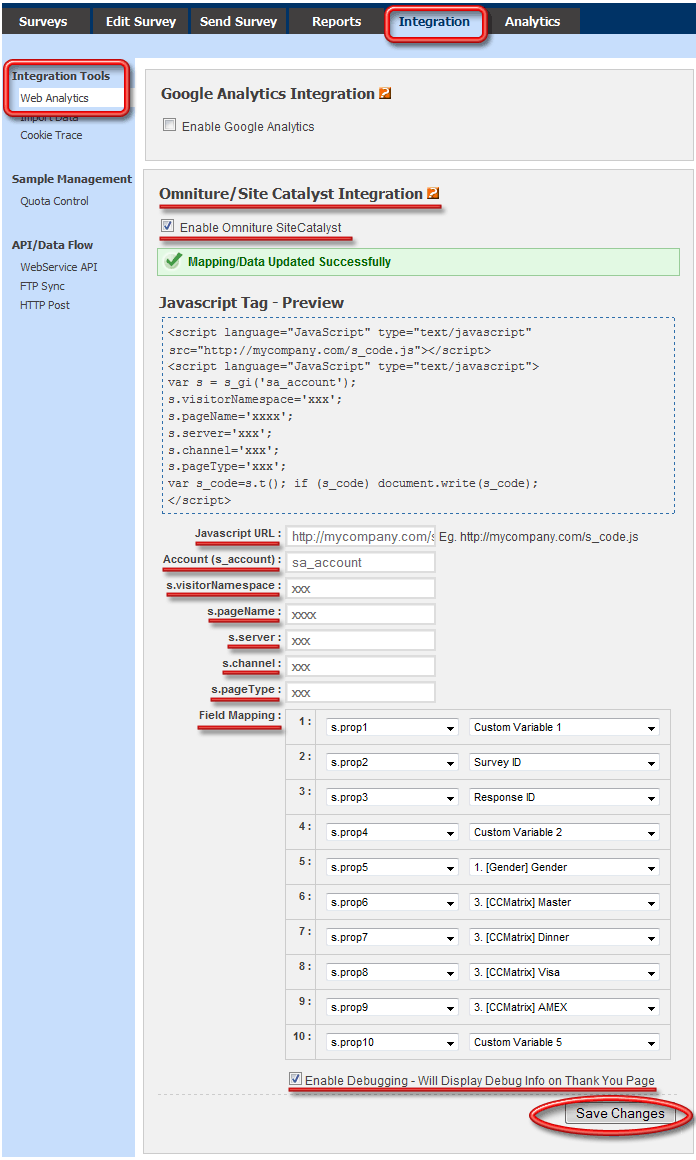
Omniture SiteCatalyst is a web analytics product that provides marketers with one place to measure, analyze, and optimize integrated data from all online initiatives across multiple marketing channels.
Web analytics is the measurement, collection, analysis and reporting of internet data for purposes of understanding and optimizing web usage.
To set up Omniture SiteCatalyst - Integration Go To:
1. Screenshot
5. Screenshot
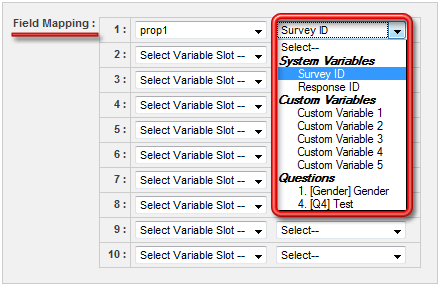
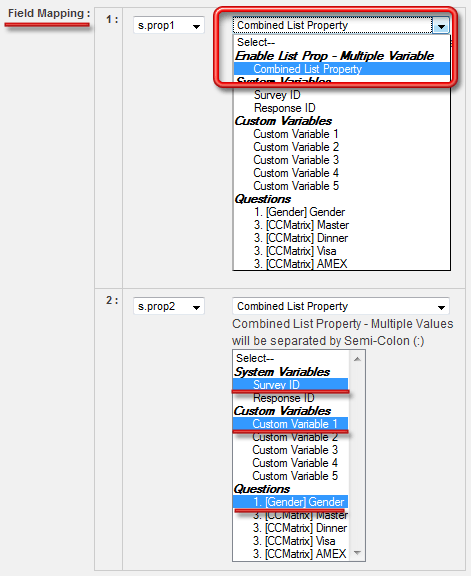
Yes. Omniture SC can parse out multiple values stored in the same prop variable. To enable that choose the "Combined List Property" as the option, and then you multi-select the variables you want to store in a given prop variable.
6. Screenshot
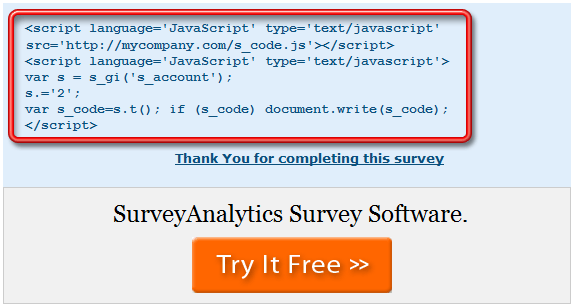
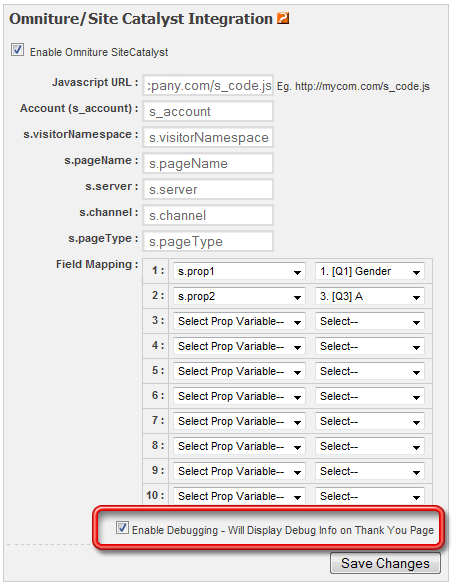
To enable debugging select the check box for: Enable Debugging - Will Display Debug Info on Thank You Page.
2. Screenshot
3. Screenshot